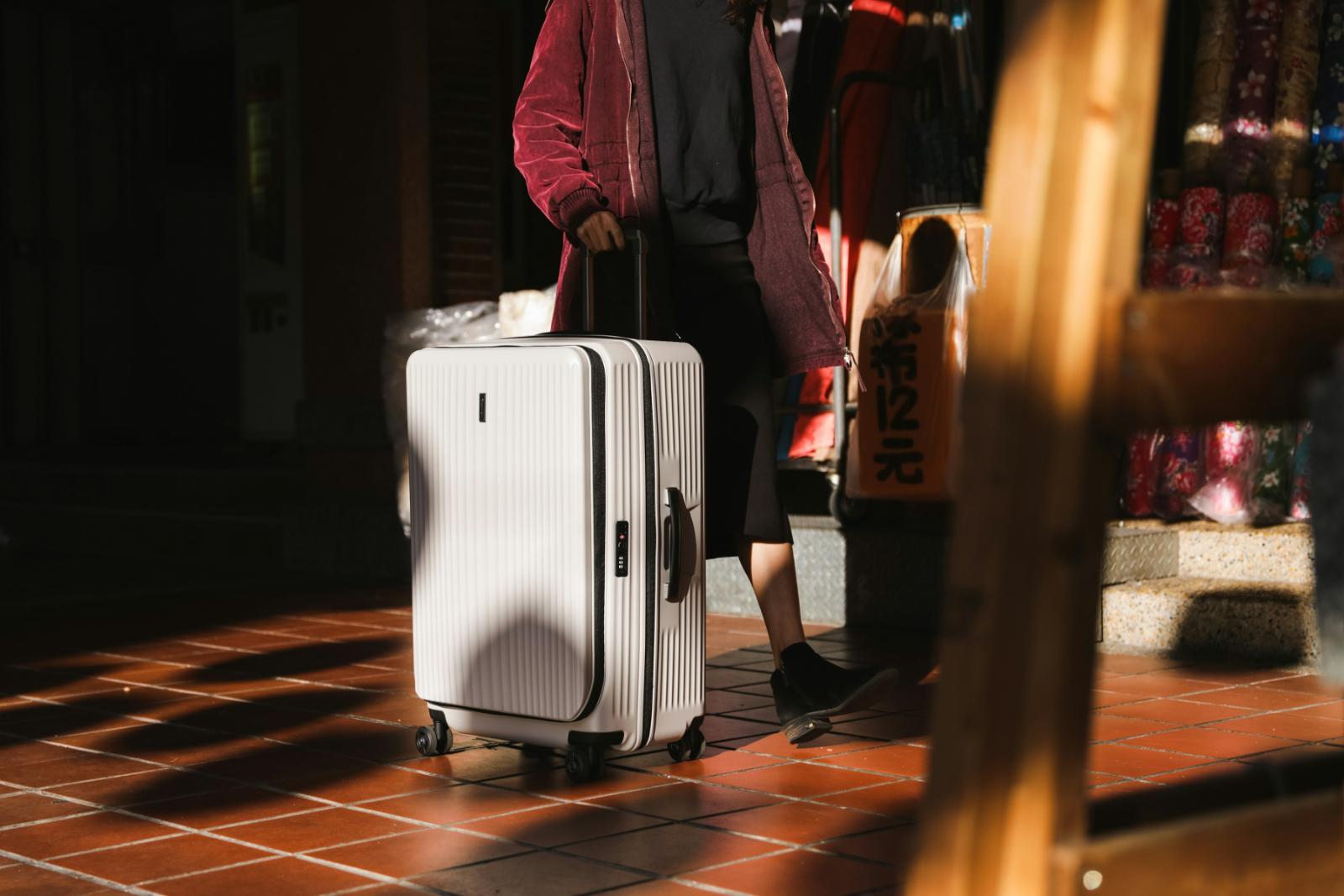
The best Bluetooth trackers for luggage give digital nomads real-time location updates the moment an airline loses a bag, instead of waiting on hold with a baggage claims desk.
Some links in this article earn us a small commission at no extra cost to you. As an Amazon Associate we earn from qualifying purchases.
This guide is written by a financial consultant who has had checked luggage misrouted three times in the past two years of full-time travel, and now tracks every bag from the moment it disappears down the belt. Every tracker on this list has been assessed on real airport and rideshare usage: how fast it reconnects after a flight, how loud its alarm actually is in a busy terminal, and whether the companion app shows a useful location or just a vague blob on a map.
| Tracker | Compatibility | Network | Pack Size | Price |
|---|---|---|---|---|
| Life360 Tile Pro | iOS & Android | Tile network | 1-pack | ~$30 |
| Samsung Galaxy SmartTag2 | Android (Samsung) | SmartThings Find | 1-pack | ~$29 |
| Pebblebee Clip 5 | iOS & Android | Apple Find My + Google Find My Device | 1-pack | ~$35 |
| UGREEN Finder Duo | iOS & Android | Apple Find My + Google Find My Device | 4-pack | ~$33 |
| Life360 Tile | iOS & Android | Tile network | 4-pack | ~$30 |
| CYBERDOT MFi Tracker | iOS only | Apple Find My | 4-pack | ~$21 |
1. Life360 Tile Pro — Best Overall
Quick answer: Works identically across iPhone and Android through the same Tile app, with the longest range in the Tile lineup and a coin-cell battery rated for about a year.

The Life360 Tile Pro is the best Bluetooth tracker for luggage for nomads who carry both iPhones and Android phones within their travel group, since it works identically on either platform through the Tile app rather than being locked into Apple’s or Google’s own find-my networks. It has the longest range of any tracker in the Tile lineup at roughly 400 feet, a genuinely loud ring that cuts through terminal noise, and a replaceable coin-cell battery rated for about a year, so you are not stuck recharging it mid-trip.
The tradeoff versus AirTag-style trackers is network size: Tile relies on its own crowdsourced network of app users to report a lost item’s location, which is smaller than Apple’s Find My network or Google’s Find My Device network. In practice this means Tile is excellent for confirming your bag came off the same carousel or rideshare you left it in, but slightly less reliable than Apple/Google-network trackers if a bag is genuinely lost somewhere with low phone density.
2. Samsung Galaxy SmartTag2 — Best for Samsung and Android Users
Quick answer: The strongest choice for Samsung Galaxy owners, plugging directly into Samsung’s SmartThings Find network for fast, reliable tracking.

The Samsung Galaxy SmartTag2 is the strongest choice for anyone traveling with a Samsung Galaxy phone, since it plugs directly into Samsung’s SmartThings Find network, which piggybacks on the location data of every Galaxy device in the area rather than a smaller app-specific network. It has a rated IP67 water resistance and a battery life Samsung lists at up to 500 days in power-saving mode, which is longer than any other tracker on this list.
It works with any Android phone via the SmartThings app, not just Samsung devices, but it does not integrate with Apple’s Find My network at all, so it is not a sensible pick for nomads traveling with an iPhone or a mixed-device household.
3. Pebblebee Clip 5 — Best Loud Alarm and Dual-Network Support
Quick answer: Works with both Apple Find My and Google Find My Device from the same tag, with a genuinely loud 130dB alarm that’s easier to locate in a chaotic baggage claim.
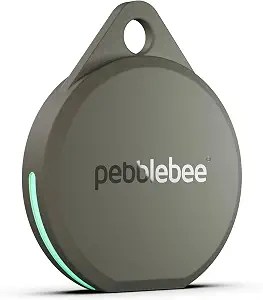
The Pebblebee Clip 5 is the pick for nomads who specifically want AirTag-style network coverage without buying an actual AirTag: it works with both Apple’s Find My network and Google’s Find My Device network from the same physical tag, switching automatically based on which app you have it paired to. Its standout feature is a genuinely loud 130dB alarm, noticeably louder than the Tile Pro and easier to locate by ear in a chaotic baggage claim area.
The built-in clip attachment is a real convenience for clipping directly to a zipper pull or backpack loop rather than needing a separate keychain accessory, though that same clip design makes it slightly bulkier than flat coin-style trackers if you plan to slide it into a luggage pocket instead.
4. UGREEN Finder Duo — Best Rechargeable Option
Quick answer: The only rechargeable tracker on this list, with a 4-pack that covers a checked bag, carry-on, and laptop bag for less than two single trackers elsewhere.

The UGREEN Finder Duo is the only tracker on this list with a rechargeable battery instead of a replaceable coin cell, which matters if you would rather plug in a USB-C cable than carry spare CR2032 batteries on the road. Like the Pebblebee Clip 5, it supports both Apple Find My and Google Find My Device, and the 4-pack format means you can tag a checked bag, a carry-on, and a laptop bag for less than the price of two individual single trackers from other brands.
Rechargeable batteries mean one more thing to remember to charge before a trip, and UGREEN’s battery life between charges (rated around several months of standby) is shorter than the year-plus you get from coin-cell trackers, so this suits nomads who already have a charging routine for other gear rather than those who want to forget the tracker exists until it needs replacing.
5. Life360 Tile (4-Pack) — Best Value for Multiple Bags
Quick answer: Brings the per-unit cost down to roughly one premium tracker’s price, making it the practical pick for tagging four bags at once.

This 4-pack version of the standard Life360 Tile brings the per-unit cost down to roughly what a single premium tracker costs elsewhere, making it the most practical option for nomads who want to tag a checked bag, carry-on, day pack, and laptop sleeve without spending more on trackers than some of the bags themselves are worth. Like the Tile Pro, it works across iOS and Android through the same app.
Range and alarm volume are both a step down from the Tile Pro, so this is best suited to confirming bags are together and present rather than as your primary tool for a bag that has gone missing entirely across an airport.
6. CYBERDOT Apple MFi Tracker (4-Pack) — Best Budget Option for iPhone Users
Quick answer: The cheapest way to get genuine Apple Find My network integration across multiple bags, at under $6 per tag for iPhone-only travellers.

For iPhone-only travelers, this Apple MFi-certified 4-pack is the cheapest way to get genuine Find My network integration across multiple bags: MFi certification means Apple has verified the tag properly registers with the Find My app and network, unlike uncertified trackers that only claim compatibility. At under $6 per tag, it is the lowest cost-per-bag option on this list for tapping into Apple’s very large device network.
It is iOS only with no Android support at all, the plastic housing feels noticeably less durable than the branded options above, and the replaceable battery compartment is fiddlier to open, but for a single-platform household prioritizing price and network size over build quality, it covers the basics.
The Bottom Line
The right tracker depends entirely on what phone you and your travel companions carry. If everyone is on iPhone, the CYBERDOT MFi 4-pack gets you onto Apple’s enormous Find My network for the least money, and the Pebblebee Clip 5 is worth the upgrade if you want a genuinely loud alarm on top of that. If you are Android-only, the Samsung Galaxy SmartTag2 (or SmartThings-compatible Android phone) or the UGREEN Finder Duo are the strongest picks. For mixed iOS/Android travel groups, the Life360 Tile Pro or the 4-pack Tile are the only options here that treat both platforms identically rather than favoring one.
Whichever tracker you choose, tag the bag itself (inside a zipped pocket, not just the outer tag loop where it can be cut off) rather than relying on a single tracker in a carry-on, and check the battery before every trip rather than after you notice it has died.
Frequently Asked Questions
Do I really need a dedicated tracker if I already have Find My or Find My Device on my phone? Your phone’s built-in Find My/Find My Device only tracks your phone itself. A separate tracker tag is what lets you locate a specific checked bag, carry-on, or laptop case independently of where your phone is, which matters most exactly when your phone is with you and your bag is not.
Will airport staff or airline security have a problem with a Bluetooth tracker in checked luggage? No. Bluetooth trackers are passive, low-power devices with no built-in cellular radio or GPS chip, so they are treated the same as any other small electronic accessory and are allowed in both checked and carry-on luggage by TSA and equivalent international authorities.
How accurate is the location a tracker actually shows? Trackers do not use GPS; they rely on nearby phones running the same network (Apple Find My, Google Find My Device, Tile, or SmartThings) picking up a Bluetooth signal and reporting an approximate location. In an airport or city with high phone density, this is typically accurate to within a building or city block. In remote areas with fewer phones nearby, updates can be delayed by hours.
Can an airline or thief find and remove the tracker from my bag? A tracker tucked inside a zipped inner pocket rather than clipped to the outside is very difficult to spot during a quick search, which is exactly why we recommend hiding it inside the bag rather than attaching it to an external tag loop that can simply be cut off.
Do I need a subscription to use these trackers? None of the trackers in this guide require a paid subscription for core tracking. Apple Find My, Google Find My Device, and Samsung SmartThings Find are all free. Tile offers an optional premium subscription for extra features like a longer location history, but the core find-my-item function works without it.
What happens if my tracker’s battery dies mid-trip? A dead tracker simply stops updating its last known location rather than actively reporting a wrong one, so you will see its last confirmed location before the battery died. This is why we recommend checking battery level before every trip rather than waiting for a low-battery notification mid-journey.
Prices and availability accurate at time of publishing. Please verify current prices on Amazon before purchasing. As an Amazon Associate we earn from qualifying purchases.
Pairs well with: The 7 Best Travel Wallets for Digital Nomads in 2026 and The 6 Best Backpacks for Digital Nomads in 2026.
What to get next: 7 Best Packing Cubes for Digital Nomads in 2026 and The 7 Best Toiletry Bags and Dopp Kits for Travel in 2026.
This guide is part of the Travel Tech collection.